How to Reduce Aim Overshooting Above the Head in Free Fire
Does your aim rise past an opponent's head when you drag the fire button upward? This can be frustrating whether you are a beginner or an experienced Free Fire player. In this guide, we will look at possible causes of aim overshooting and a practical way to work on your drag motion, sensitivity and fire button size.
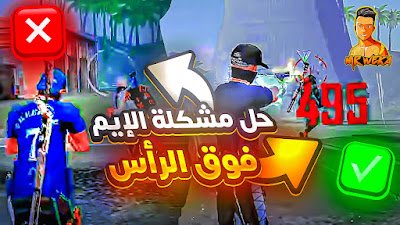
Why Can Your Aim Rise Above the Head?
The first thing to examine is the upward drag itself. If you move your finger farther than the shot requires, the aim may pass the intended target. A motion that works at one distance may need adjustment at another.
Also review whether the relevant in-game sensitivity feels too responsive for your usual drag. Your fire button placement and size can affect how comfortably you repeat the gesture, while moving during the shot adds another action to coordinate.
These are starting points to investigate, rather than a diagnosis for every missed shot. Work through one variable at a time instead of replacing your whole setup after a single fight.
Suggested Sensitivity and Fire Button Sizes
The original guide provides the following values. Keep them as a practice profile to compare with your current settings; they are not verified settings for every phone. The numbers below are preserved as supplied rather than automatically rescaled.
| Setting | Suggested value |
|---|---|
| General | 100 |
| Red Dot | 83 |
| 2X Scope | 85 |
| 4X Scope | 87 |
| Sniper Scope | 40 |
| Fire Button Size — smaller screen | 48 |
| Fire Button Size — larger screen | 54 |
A useful fire button is one you can reach, tap and drag consistently. Screen size is only a starting consideration; your grip, HUD spacing and finger layout also matter. If 48 or 54 feels awkward, adjust the size gradually.
What Do DPI and Smallest Width Mean?
Players sometimes use the name “DPI” for Android's Smallest width developer setting. These are not the same measurement. Smallest width is expressed in density-independent pixels, or dp, whereas dpi describes pixel density.
Smallest width relates to how Android lays out and scales interface content. It is not a direct touch-sensitivity or touch-sampling-rate setting, so increasing the number is not a guaranteed way to improve aim.
Android explains dp and density in its screen density documentation and describes smallest-width measurements in its layout documentation.
You do not need to change developer options to practice this guide. Start with your normal display configuration and the game's own controls. If you previously changed display scaling, record the existing value before adjusting it; use a known previous value when comparing your old setup.
How to Work on Aim Overshooting
1. Shorten and control the upward drag
Practice a smaller upward motion and watch where the aim stops. Increase the movement only when needed. Repeating the same starting position helps you learn the amount of drag required.
2. Adjust sensitivity gradually
If your usual motion repeatedly sends the aim too high, try a small reduction to the relevant in-game sensitivity. Keep the drag similar while comparing the result. Changing sensitivity, button size and display scaling together makes it harder to tell which change helped.
3. Separate aiming practice from movement practice
First practice from a stationary position so you can concentrate on the drag. Then add movement and learn how to coordinate both actions. Standing still is a practice step, not a rule to remain exposed during real fights.
No single setting guarantees a permanent fix. The aim is to find a motion and setup you can repeat, then adapt it to different targets and distances.
Two Aiming Motions to Practice
For a stationary target or one moving straight
The first method begins with the crosshair near the opponent's chest or center of the body. The described motion is a small downward drag followed by an upward drag toward the head.
Use a controlled movement rather than a large flick. Practice the sequence slowly and adjust the upward distance if you keep passing the head. This is an aiming exercise, not a guaranteed headshot.
For an opponent moving sideways
The second method starts with the crosshair on the side opposite the opponent's movement. If the opponent moves right, the described starting position is to their left; if they move left, start to their right.
Then drag in the direction of their movement before bringing the aim upward. Follow a right-moving opponent to the right, or a left-moving opponent to the left, and finish with a controlled upward motion.
Watch the video for the intended sequence. The timing needs adjustment as the target's speed, direction and distance change.
Want to Practice With the Desert Eagle?
If you enjoy using the Desert Eagle, you can also read Mr Weka's Arabic guide to the aiming methods discussed for that weapon.
Watch the Full Video Tutorial
Watch Mr Weka's Arabic video for the original aiming demonstrations. Use the explanation above to distinguish Android display scaling from in-game sensitivity.